Jewellery4 min readUpdated
Imitation jewellery photography, without a studio
Imitation jewellery photography is the practice of shooting artificial or fashion jewellery so that its stones, plating and finish read accurately on a buyer's phone screen.
Early access — jewellery support is in development. Garment and ethnic-wear catalogues are available today.
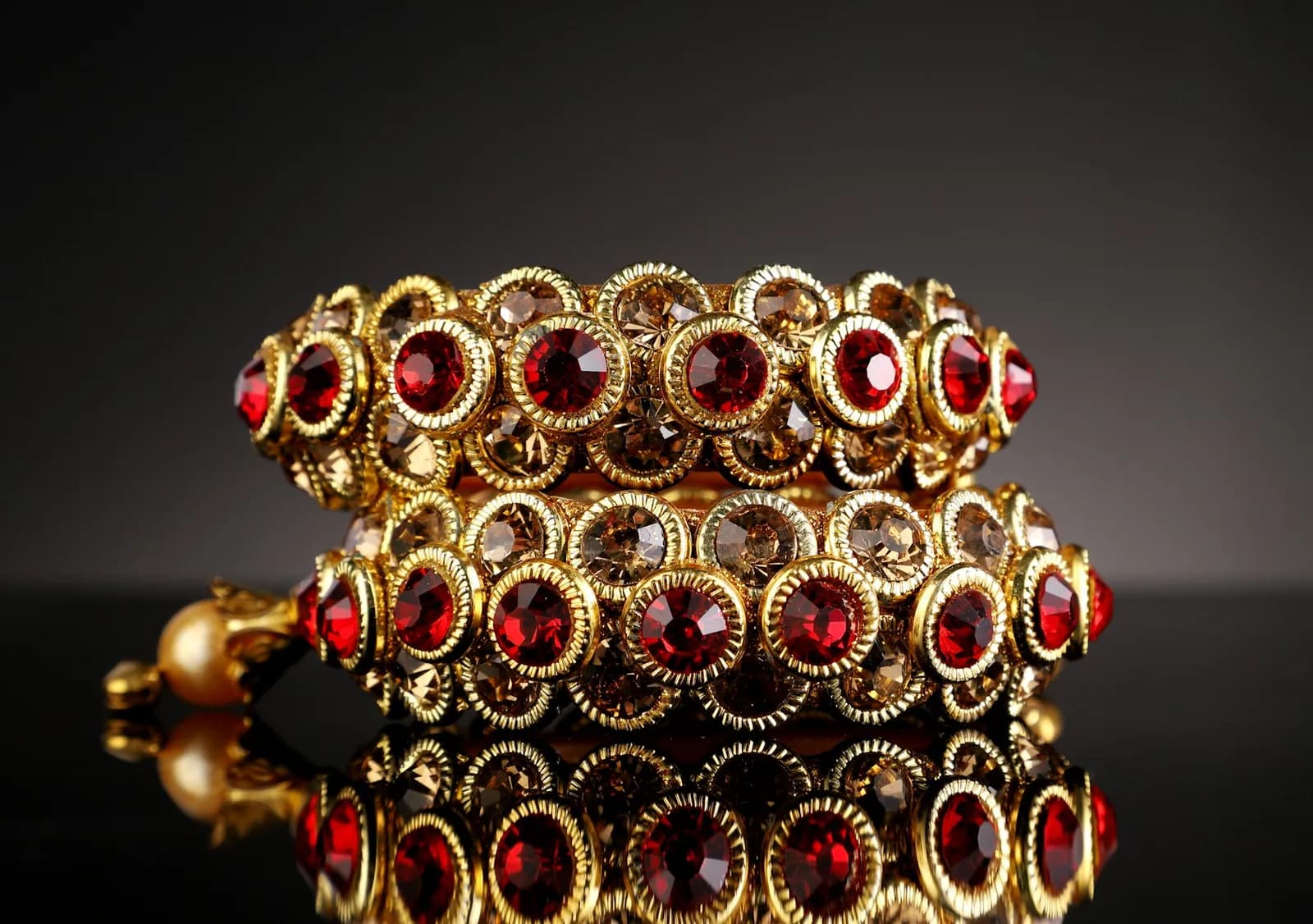
Imitation jewellery is one of the hardest categories to photograph on a phone. The two things that sell a piece — the sparkle of the stones and the tone of the plating — are exactly the two things a phone camera flattens. Gold plating photographs grey under tube light, stones lose their fire without a directional source, and a white bedsheet background casts a colour tint across the whole piece.
It is also a category where sellers add stock constantly. A studio shoot priced per finished image does not survive that churn: studio product photography in India is commonly quoted in the range of ₹150–₹2,000 per finished image (TeamTSB, 2026), which is difficult to justify when a new design might sell a dozen units.
The goal is not to make the piece look like something else. A buyer who receives a necklace that is duller than the listing photo returns it, and in jewellery the plating tone is the single most common mismatch. Accuracy is a conversion tool, not a compliance chore.
Shooting imitation jewellery on a phone
Fix these at the source. No amount of post-processing recovers a blown-out stone.
- Light
- One large soft source at roughly 45°, near a window or a diffused lamp. Avoid direct on-camera flash — it kills stone fire and flares the plating.
- Background
- Neutral grey or off-white, not a coloured bedsheet. Coloured fabric reflects a tint onto plated metal and shifts the apparent gold tone.
- Distance
- Step back and zoom slightly rather than pushing the lens close. Phone macro at very short range distorts the shape of hoops and bangles.
- Focus
- Tap to focus on the centre stone, then lock exposure so the metal does not blow out when you reframe.
- Angles
- Straight-on, a three-quarter turn, and one detail frame of the clasp or stone setting. Buyers ask for the clasp more than sellers expect.
- Colour check
- Shoot one frame with a plain white sheet of paper in the corner. It gives you a reference for correcting the white balance later.
Photograph the piece you will actually ship — not a supplier's catalogue image of the same design. Supplier images are frequently reused across hundreds of listings and marketplaces penalise duplicates.
How it works with Dekhlo
Start from one real photo
Photograph the product as it actually is, on a phone, in whatever light you have. The source does not need a studio, a backdrop or a professional model — it needs to be a true record of the item you will ship.
Choose the look
Pick the aesthetic and add any art direction. The model, pose, backdrop and lighting are the parts free to change; the product's own design, colour and construction are held steady.
Compare against your original
Every generated image is shown next to the photo you uploaded, so you can reject anything that has drifted. Nothing is published automatically — you select what is accurate enough to sell.
Publish and share
Export the selected images, or publish them as a shareable product page with a WhatsApp enquiry button, so a buyer can go from the image to a conversation in one tap.
Questions sellers ask
How do you photograph artificial jewellery so it looks gold, not grey?
Gold plating reads grey when lit by flat overhead tube light. Use one large, soft, directional source at about 45 degrees so the metal has a bright edge and a shaded side. That contrast is what the eye reads as metallic. A neutral background matters too, because coloured fabric tints the plating.
What background is best for imitation jewellery photos?
Neutral grey or off-white. Both keep the plating tone honest and satisfy marketplaces that require a plain background. Avoid coloured cloth, which reflects a tint onto metal, and avoid pure black, which hides the outline of dark stones and oxidised finishes.
Can you use one photo to make several jewellery catalogue images?
Yes. A single accurate source photo can be restaged into different backgrounds and presentations. What must not change is the piece itself — the stone layout, the plating tone and the design. Restaging the scene is legitimate; altering the product is misrepresentation.
Is it a problem if my jewellery photos look too edited?
It is, and it shows up as returns. If the listing sparkles more than the item that arrives, the buyer sends it back and you pay the shipping both ways. Treat heavy enhancement as a risk to margin, not a shortcut to conversion.
Do I need a professional model for jewellery photos?
Not for the main listing image, which most marketplaces want on a plain background. On-model images are best used as secondary or lifestyle slots, where they help a buyer judge scale — how large a jhumka actually sits against an ear, or where a necklace falls.
Start from a photo you already have
Upload one real photo of the product and review the results against your original before anything is published. New studios start with 50 free credits.