Marketplaces3 min readUpdated
White background product photos, from a phone
A white background product photo shows an item against a plain white field, which is what most marketplaces require for the main listing image so that products stay comparable in a search grid.
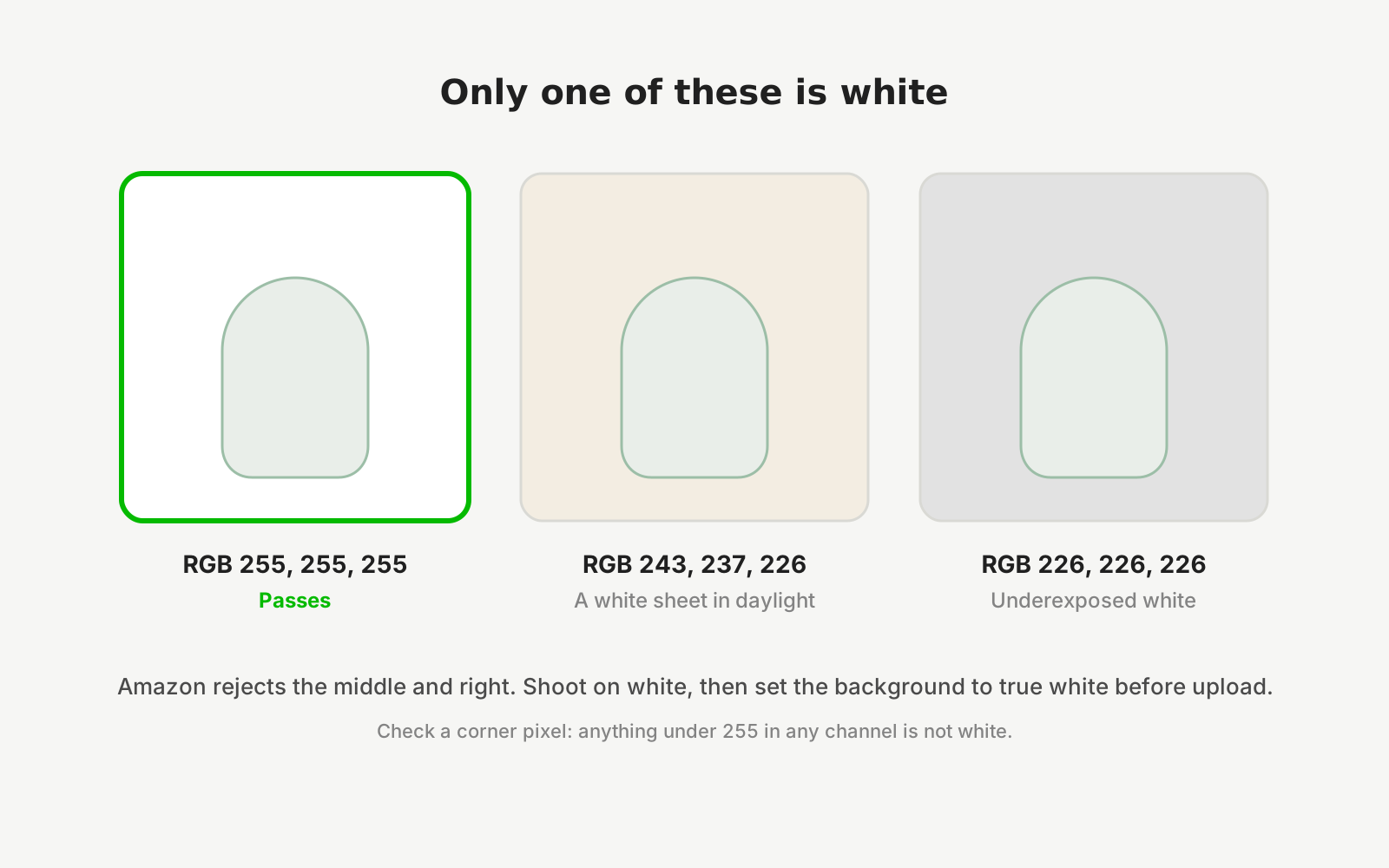
The white background rule is not an aesthetic preference. In a search results grid, dozens of products sit side by side, and a plain background is what stops one seller's busy backdrop from drowning out a neighbour's. That is why it is enforced on the main image and relaxed on secondary ones.
Getting there is easier if you shoot for it. A product photographed on a mid-grey surface separates cleanly; a white product photographed on white does not, because there is no edge for the software — or a human — to find.
The failure mode to watch for is over-aggressive cutout. Removing a background too hard eats fine edges: the fringe of a dupatta, the chain of a necklace, loose thread on embroidery. Those artefacts look worse than a slightly imperfect background.
Export targets
Shoot once at high resolution, then export per destination.
- Meesho
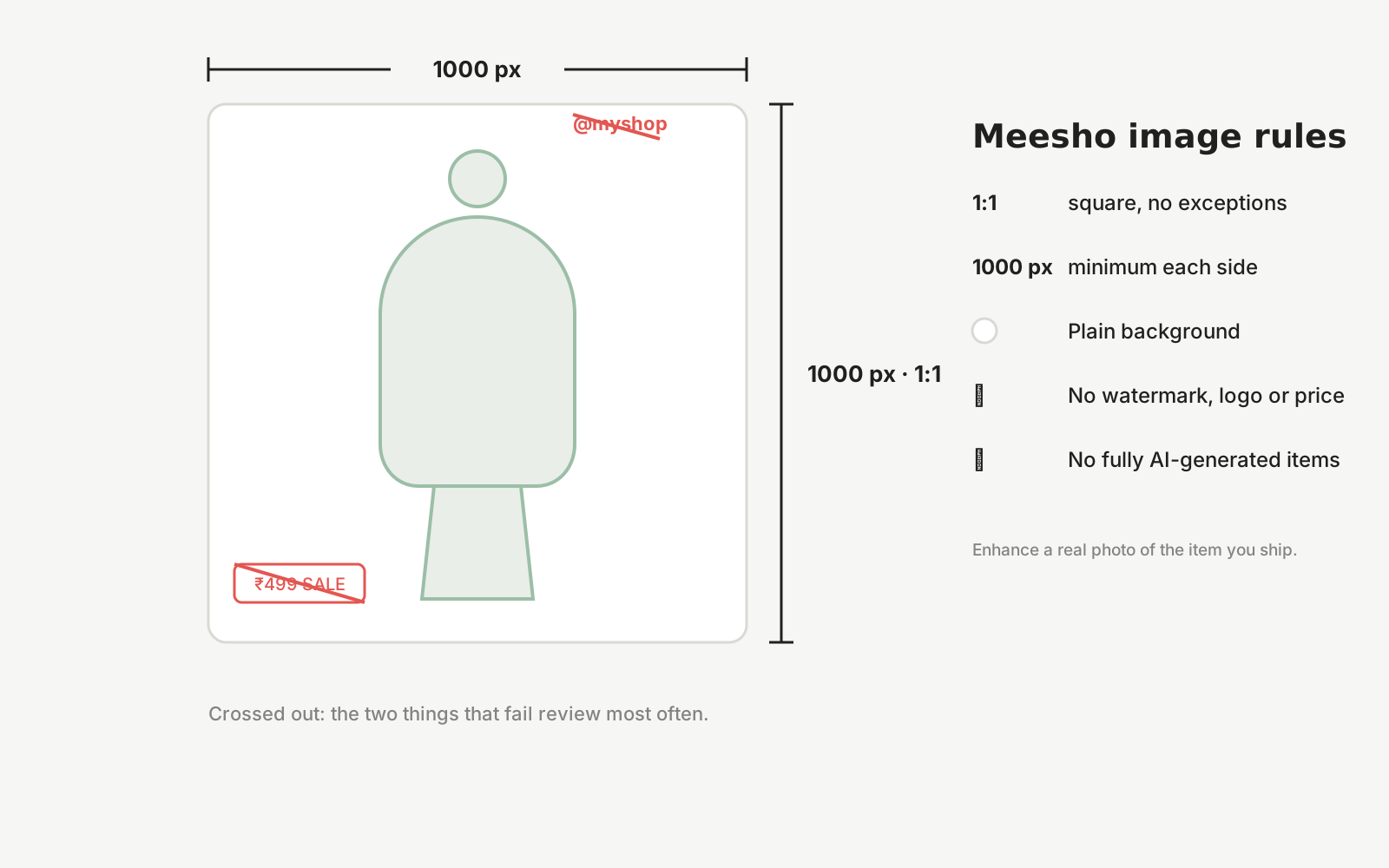
- 1:1 square, minimum 1000 × 1000 px, plain background, no watermark or text.
- Amazon India
- Square recommended; pure white main image; product should fill most of the frame.
- Flipkart
- Plain background main image; check current category-specific dimension rules before bulk upload.
- Instagram feed
- 1:1 or 4:5. The 4:5 portrait crop occupies more screen and generally performs better.
- Square travels best. Forwarded images are recompressed, so start from a high-resolution source.
- Your own store
- Keep the largest version. You can always export down; you cannot recover detail you never captured.
How it works with Dekhlo
Shoot on grey, not white
Counter-intuitive but reliable. A mid-grey surface gives a clean edge for every product colour, including white and cream items that disappear against a white backdrop.
Light the background separately if you can
Even a little separation — the product a hand's width forward of the backdrop — stops shadows falling directly behind the item and makes the edge easier to isolate.
Keep the natural contact shadow
A soft shadow under the product is what stops it looking pasted on. Cutouts that remove every trace of shadow read as artificial and, for furniture and bags, make scale harder to judge.
Check the edges at full zoom
Zoom to 100% and look at fringes, chains, straps and stray threads. Over-aggressive background removal eats exactly these, and they are what a discerning buyer inspects.
Questions sellers ask
Why do marketplaces require white backgrounds?
So products stay comparable in a search grid. When dozens of listings appear side by side, a plain field stops one seller's busy backdrop overwhelming its neighbours. It is enforced on the main listing image and usually relaxed for secondary and lifestyle images.
Should I shoot on white or grey?
Grey, then convert. A mid-grey surface gives a clean, findable edge for every product colour, including white, cream and silver items that vanish against a white backdrop. Shooting on grey and exporting to white is more reliable than shooting on white directly.
How do I remove a background without ruining the edges?
Shoot with good separation between product and backdrop, then check the result at full zoom before publishing. Fringes, chains, straps and stray threads are what aggressive cutouts eat first, and those artefacts look worse to a buyer than an imperfect background.
Should product photos keep their shadow?
A soft contact shadow under the item is usually worth keeping. It stops the product looking pasted onto the page and helps a buyer judge that it is sitting on a surface. Harsh cast shadows are a different matter and are best removed.
Start from a photo you already have
Upload one real photo of the product and review the results against your original before anything is published. New studios start with 50 free credits.