Selling on WhatsApp2 min readUpdated
Turning your catalogue into a WhatsApp link
A WhatsApp catalogue link is a single shareable web address holding your products, which a buyer can open from a chat and use to start an enquiry without you sending images one at a time.
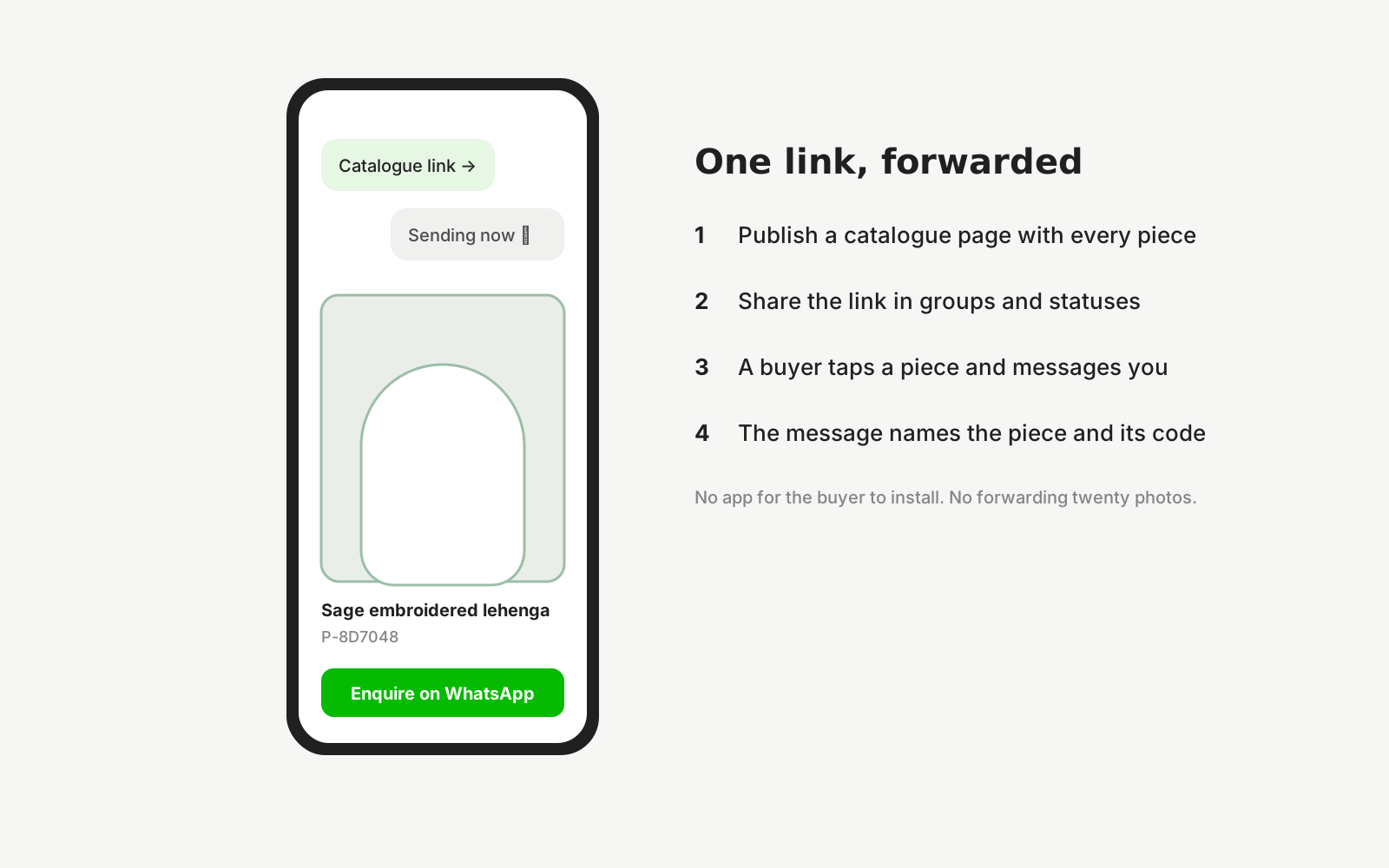
Most selling on WhatsApp still happens as loose images. You send twenty photos into a group, the buyer scrolls back through them, asks which one was ₹1,200, and you scroll back too. Prices live in your head, the images get recompressed with every forward, and nothing is searchable.
A link fixes the structural part of that. One address holds the products, each with its own page, price and enquiry button, and it stays current when you update it — including for the people who forwarded it last week.
It also compounds. A forwarded image is a dead end, but a forwarded link keeps working, keeps being indexable, and keeps pointing back at you.
How it works with Dekhlo
Get the product images right first
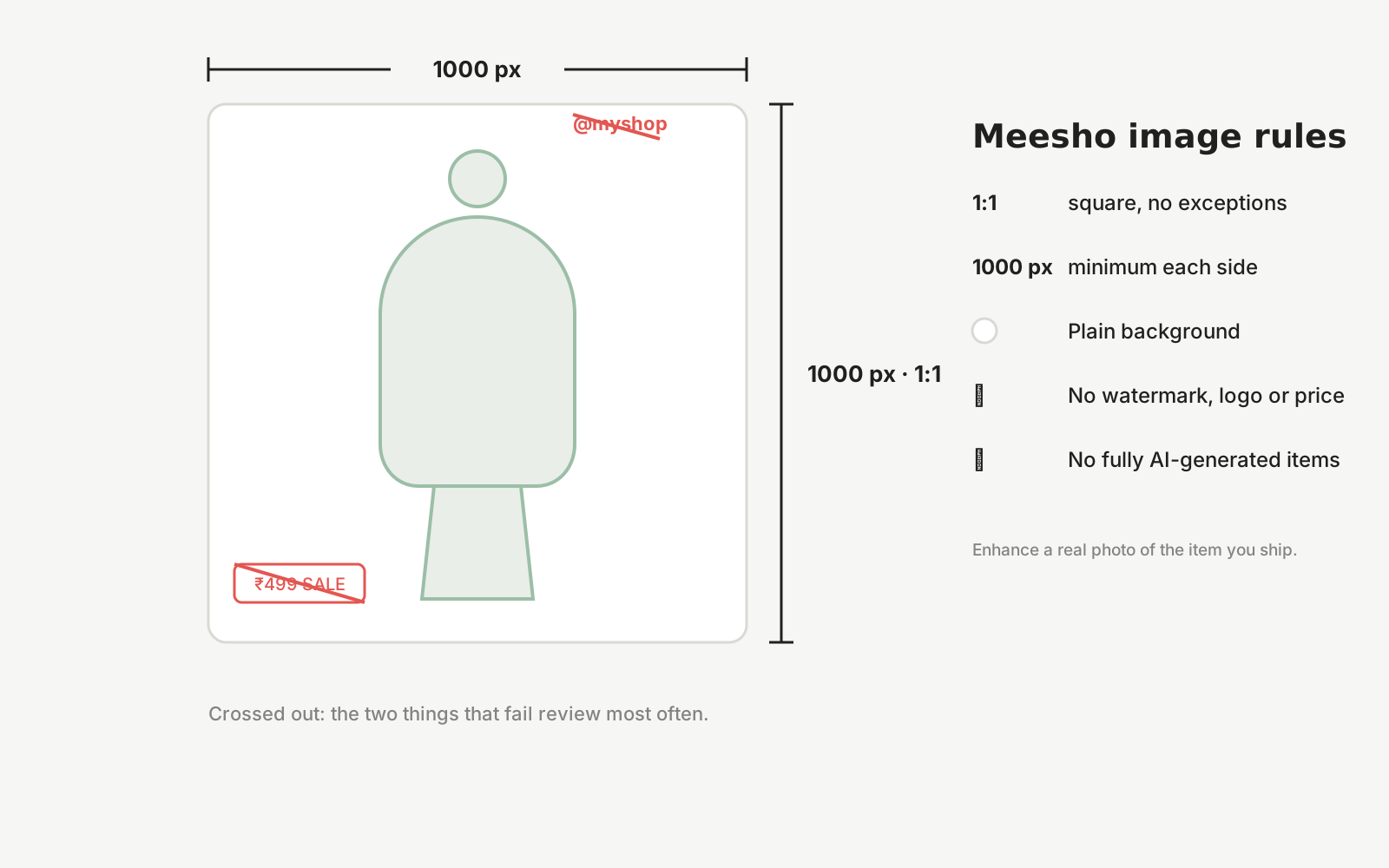
A catalogue link inherits the quality of its images. Square crops travel best through WhatsApp, and starting from a high-resolution source matters because forwarding recompresses every time.
Give every product its own page
One page per product means a buyer can send you that specific item rather than describing it. It also means each product is separately shareable and separately indexable.
Put the enquiry button on the product
A WhatsApp button that opens a chat pre-filled with the product name removes the step where a buyer has to explain which item they mean — the step where most enquiries are lost.
Share the link, not the images
Send one address into your groups instead of a stack of photos. Updates reach everyone who has it, including people who received it second-hand.
Questions sellers ask
What is a WhatsApp catalogue link?
A single web address holding your products, which you share into a chat or group instead of sending loose images. A buyer opens it, browses, and taps through to start a WhatsApp conversation about a specific item, with the product already identified in the message.
How is this different from WhatsApp Business catalogue?
WhatsApp's own catalogue lives inside the app and is only reachable by people already in a chat with you. A web link can be opened by anyone, forwarded outside WhatsApp, posted on Instagram, and indexed by search engines — so it keeps working beyond your existing contacts.
Do buyers need to install anything to open the link?
No. The link opens in a normal web browser. Tapping the enquiry button hands off to WhatsApp, which they already have — that is the point of the format in markets where WhatsApp is the default channel for buying conversations.
Can I update prices without resending the catalogue?
Yes, and that is the main advantage over forwarding images. The link points at a page you control, so an update reaches everyone holding the link — including people who received it second-hand — without you tracking down every group you posted it in.
Does a shared catalogue link help with search visibility?
It can. A product page on the open web is something a search engine can index, whereas an image forwarded through WhatsApp is invisible to search entirely. The same link serves both purposes: a share target in chat and a discoverable page.
Start from a photo you already have
Upload one real photo of the product and review the results against your original before anything is published. New studios start with 50 free credits.