Getting started4 min readUpdated
AI product photography, explained
AI product photography is the use of generative image models to restage a real product photo — changing the background, lighting, setting or the person wearing it — while the product itself stays as photographed.
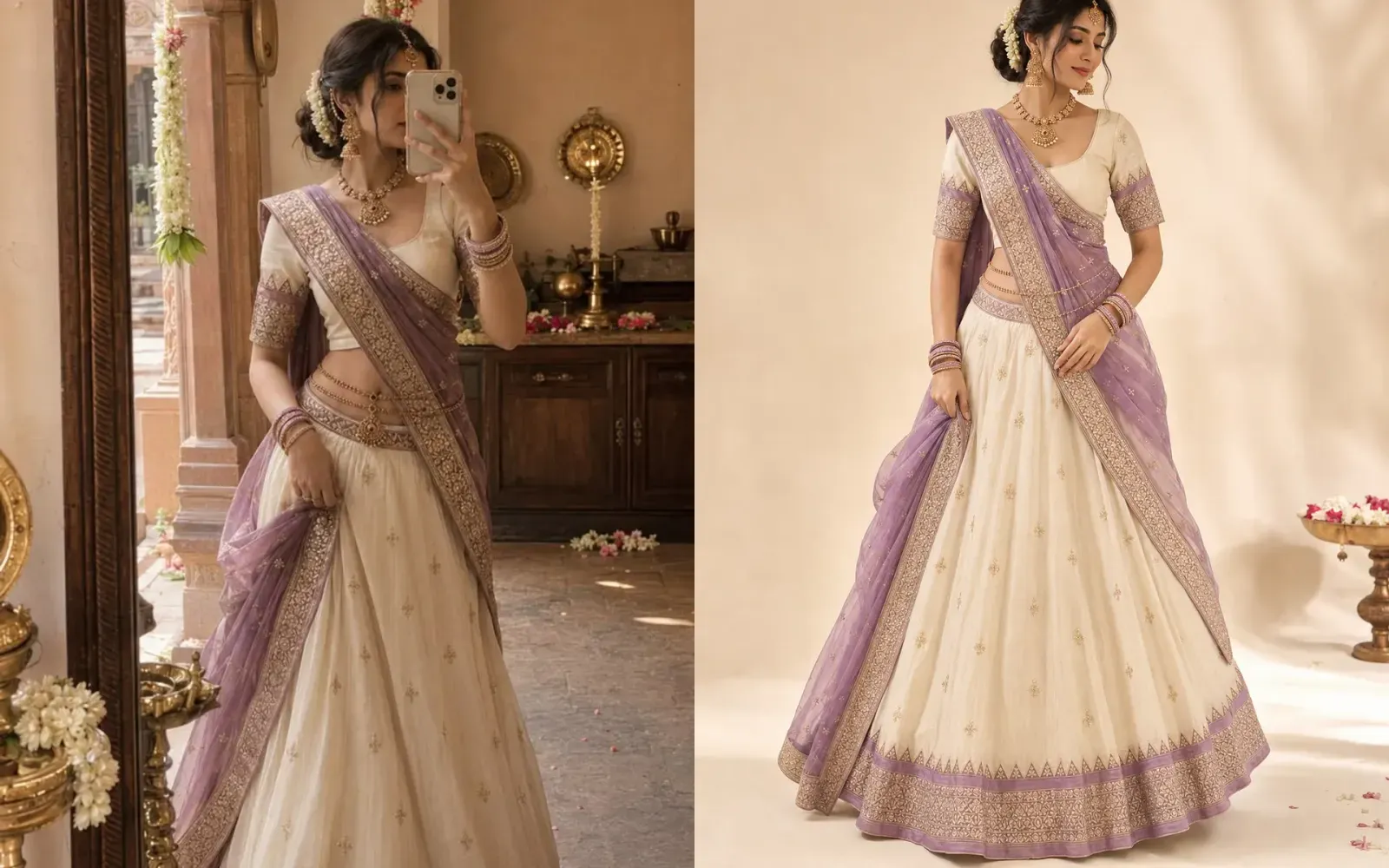
The phrase covers two very different things, and the difference decides whether a listing is honest. Restaging starts from a real photograph of the item you will ship and changes the scene around it. Generating starts from a description and invents the product. The first is a photography tool; the second is a drawing, and marketplaces treat it that way.
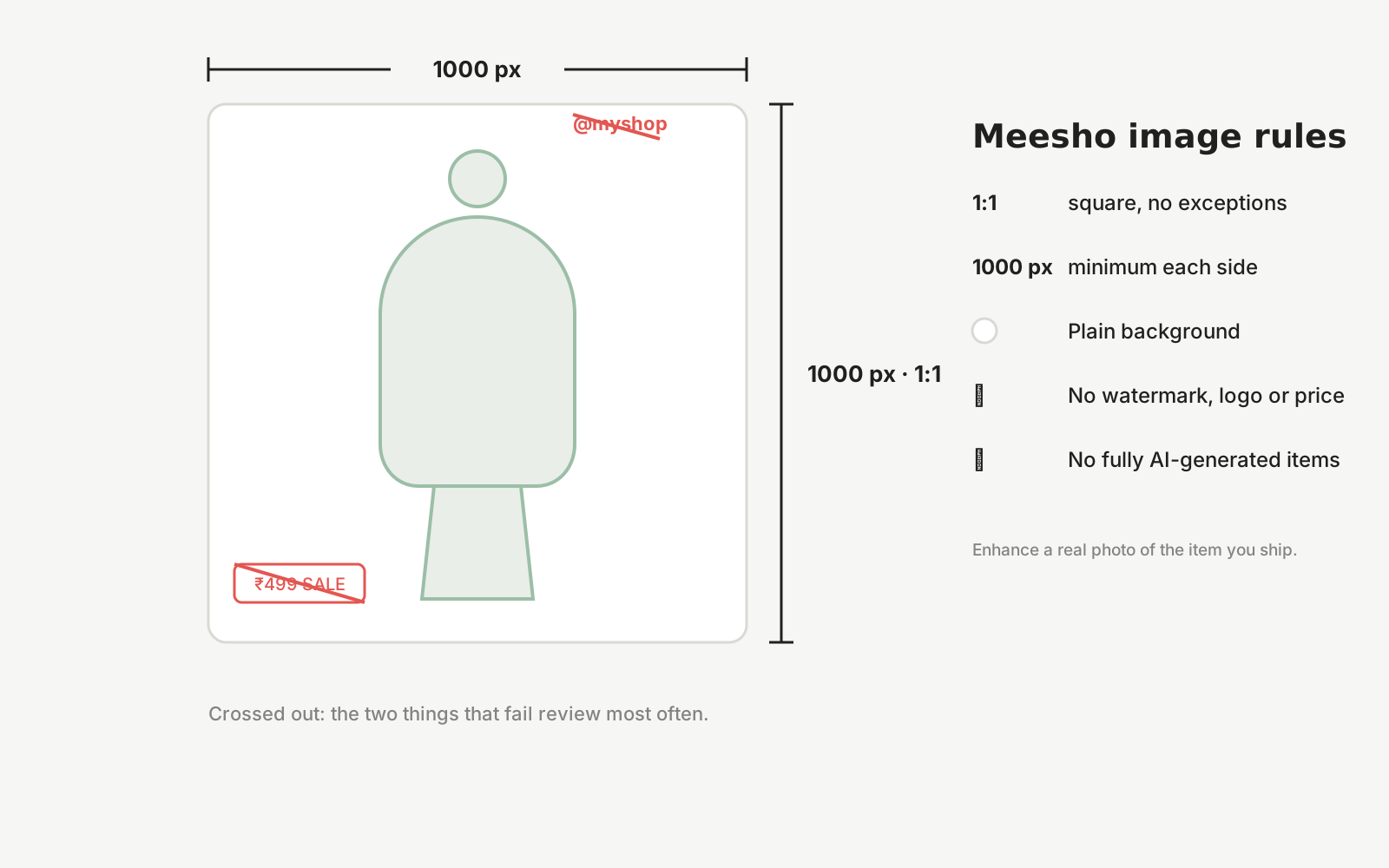
The rules follow from that split. Meesho prohibits fully AI-generated product images outright. Amazon requires the main image to show the actual product as the customer receives it. Neither forbids improving the setting of a genuine photo. The safe practice is the same on every platform: keep the real photo as the source, and never publish an image of a product that was not photographed.
Costs have made this mainstream. A 2026 cost guide estimates ₹10–₹150 per finished AI output once discarded generations are counted, against ₹300–₹800 for a studio white-background image (Zeands, July 2026). The saving is real; so is the checking work that comes with it.
What can change, and what must not
A useful output changes the scene and preserves the product. Check the second column every time.
- Free to change
- Background, lighting, the model or mannequin, pose, framing, aspect ratio and the overall mood of the scene.
- Must not change
- Colour and undertone, print and motif placement, embroidery and stone work, silhouette and length, borders, trims, closures and the visible construction.
- Watch for
- Extra or missing buttons, altered sleeve length, a border that continues where the real one stops, a changed neckline, jewellery that has gained stones. These are the drifts that cause returns.
- Source photo
- One sharp, well-lit photo of the actual item with the whole product in frame. The better the source, the less the model has to guess.
- Disclosure
- Where a marketplace asks whether an image is AI-assisted, answer honestly. Restaged photographs are still photographs of the real product, and saying so protects the listing.
Every Dekhlo output is shown next to the original photo for exactly this check. Nothing is published until you select it.
How it works with Dekhlo
Start from one real photo
Photograph the product as it actually is, on a phone, in whatever light you have. The source does not need a studio, a backdrop or a professional model — it needs to be a true record of the item you will ship.
Choose the look
Pick the aesthetic and add any art direction. The model, pose, backdrop and lighting are the parts free to change; the product's own design, colour and construction are held steady.
Compare against your original
Every generated image is shown next to the photo you uploaded, so you can reject anything that has drifted. Nothing is published automatically — you select what is accurate enough to sell.
Publish and share
Export the selected images, or publish them as a shareable product page with a WhatsApp enquiry button, so a buyer can go from the image to a conversation in one tap.
Questions sellers ask
Is AI product photography allowed on Amazon, Flipkart and Meesho?
Restaging a genuine photo of your product is within the rules on all three, because the product shown is the product shipped. Fully generated products are not: Meesho prohibits them explicitly and Amazon requires the actual item in the main image. Keep the real photograph as the source and you stay on the right side.
Will buyers be able to tell an image was made with AI?
The scene is rarely the problem; the product is. Buyers notice when what arrives differs from what they saw — a lighter colour, a shorter hem, a missing border. Judge an output by comparing it to your original photo, not by whether the background looks convincing.
Does AI product photography change my product?
It should not, and that is the test. A good tool holds the design, colour, pattern, embroidery, silhouette and construction steady and changes only the setting. Generative models can still drift on fine details, which is why every output needs a side-by-side check before it is listed.
What photo should I start with?
One sharp, evenly lit photo of the real item with the whole product in frame, on any background. Daylight near a window works. Avoid supplier catalogue images, which are reused across many listings and may not match the piece you ship. The source photo is the only thing the model cannot invent.
How is this different from removing a background?
Background removal cuts the product out and drops it on white. Restaging rebuilds the whole scene: light, surface, setting, and for garments a person wearing the item. Removal is enough for a marketplace main image; restaging is what produces the lifestyle and on-model images that sell.
Start from a photo you already have
Upload one real photo of the product and review the results against your original before anything is published. New studios start with 50 free credits.