Marketplaces3 min readUpdated
Amazon product image requirements, explained for sellers
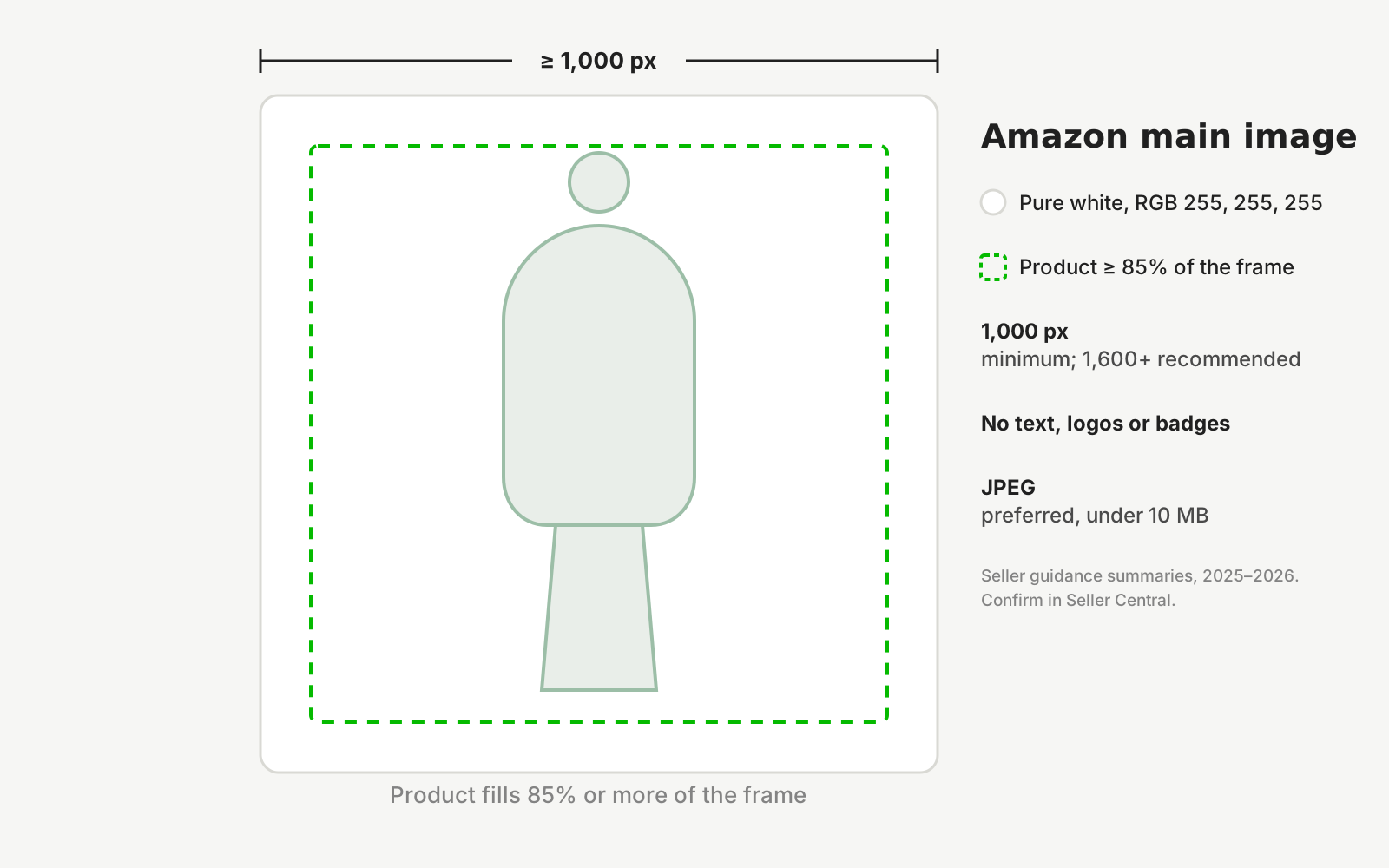
Amazon's main product image must show the product alone on a pure white background (RGB 255, 255, 255), at least 1,000 pixels on the longest side, filling 85% or more of the frame, with no text, logos, watermarks or borders.
Amazon suppresses listings whose main image breaks its rules, and it does so quietly: the product stops appearing in search until a compliant image is uploaded. Most suppressions come from four causes that are easy to check before upload — an off-white background, an image under 1,000 pixels, a product that fills too little of the frame, and text or badges burned into the picture.
The rules below are as published in seller guidance summaries for 2026 (Seller Labs, August 2025; SellHound, 2026). Amazon revises them, so treat this as a pre-upload checklist and confirm against Seller Central before a bulk listing.
Secondary images are where the freedom is. Slots two onwards may carry lifestyle scenes, close-ups and infographics that answer the questions a buyer would otherwise ask. The main image is the one that has to be plain.
Amazon main image requirements
Fix these at the source; Amazon does not warn before it suppresses.
- Background
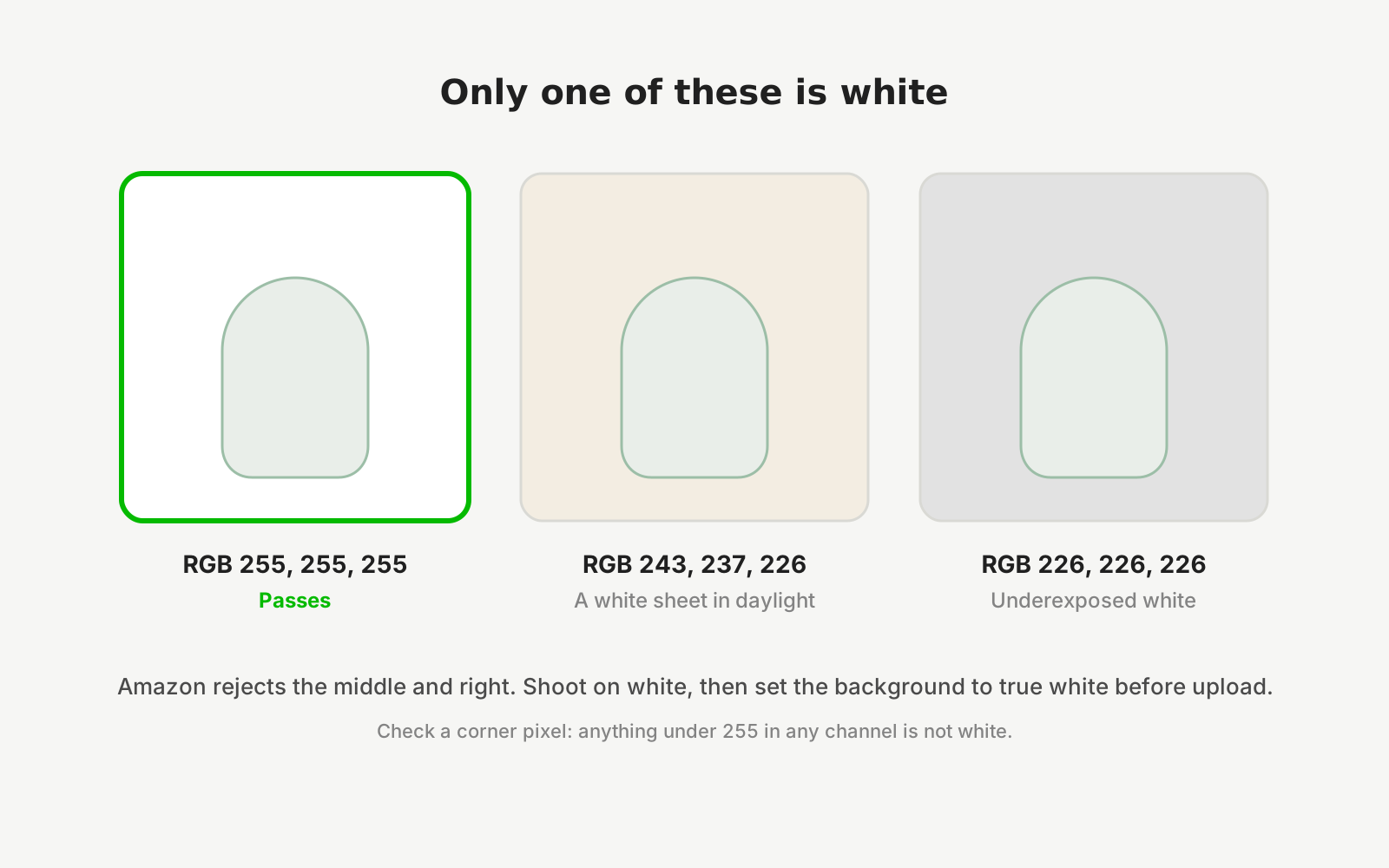
- Pure white, RGB 255, 255, 255. Off-white, cream and light grey are rejected (SellHound, 2026).
- Size
- At least 1,000 pixels on the longest side, which is what enables zoom. 1,600 pixels or larger is recommended; the maximum is 10,000 pixels a side (SellHound, 2026).
- Fill
- The product occupies 85% or more of the frame. Guidance suggests 88–92% performs best (SellHound, 2026).
- Format
- JPEG preferred; PNG, TIFF and non-animated GIF accepted. sRGB colour, file under 10 MB (Seller Labs, 2025; SellHound, 2026).
- Not allowed
- Text, logos, watermarks, badges, discount callouts, borders and inset images. The item must be the sole subject and appear as the customer will receive it.
- Apparel
- A human model is permitted for clothing but must stand and show the product clearly. Children's clothing is shown flat or on a hanger, never on a child model. Ghost mannequins are preferred over visible ones (SellHound, 2026).
- Multipacks
- Show the exact quantity the customer receives.
Rules differ by category and change without much notice. The Seller Central image requirements page for your category is the authority; this table is the checklist.
Questions sellers ask
What size does an Amazon main image have to be?
At least 1,000 pixels on the longest side, because that is the threshold at which Amazon enables zoom on the product page. Seller guidance recommends 1,600 pixels or more, and the maximum is 10,000 pixels a side with the file kept under 10 MB.
Does the Amazon main image background have to be pure white?
Yes. The background must be RGB 255, 255, 255. Cream, off-white and light grey read as non-compliant and can suppress the listing. Shoot on white and then clip or neutralise the background, or use a tool that outputs a true white, rather than trusting a white sheet in daylight.
Can I use a model in my Amazon main image for clothing?
For adult apparel, yes: the model must be standing and the garment clearly visible, with no props or text. Children's clothing is the exception and must be shown flat or on a hanger. If you use a mannequin, a ghost or invisible mannequin is preferred to a visible one.
Why was my Amazon listing suppressed for an image?
The common causes are an off-white background, an image smaller than 1,000 pixels, a product filling well under 85% of the frame, or text, logos, badges and watermarks on the main image. Amazon does not always say which rule failed, so check all four before re-uploading.
Are AI-generated product images allowed on Amazon?
Amazon's rule is that the main image shows the actual product as the customer will receive it. Restaging a real photo of your item, changing background or setting while the product stays unchanged, sits within that. Generating a product that was never photographed does not, and misrepresents what ships.
Start from a photo you already have
Upload one real photo of the product and review the results against your original before anything is published. New studios start with 50 free credits.